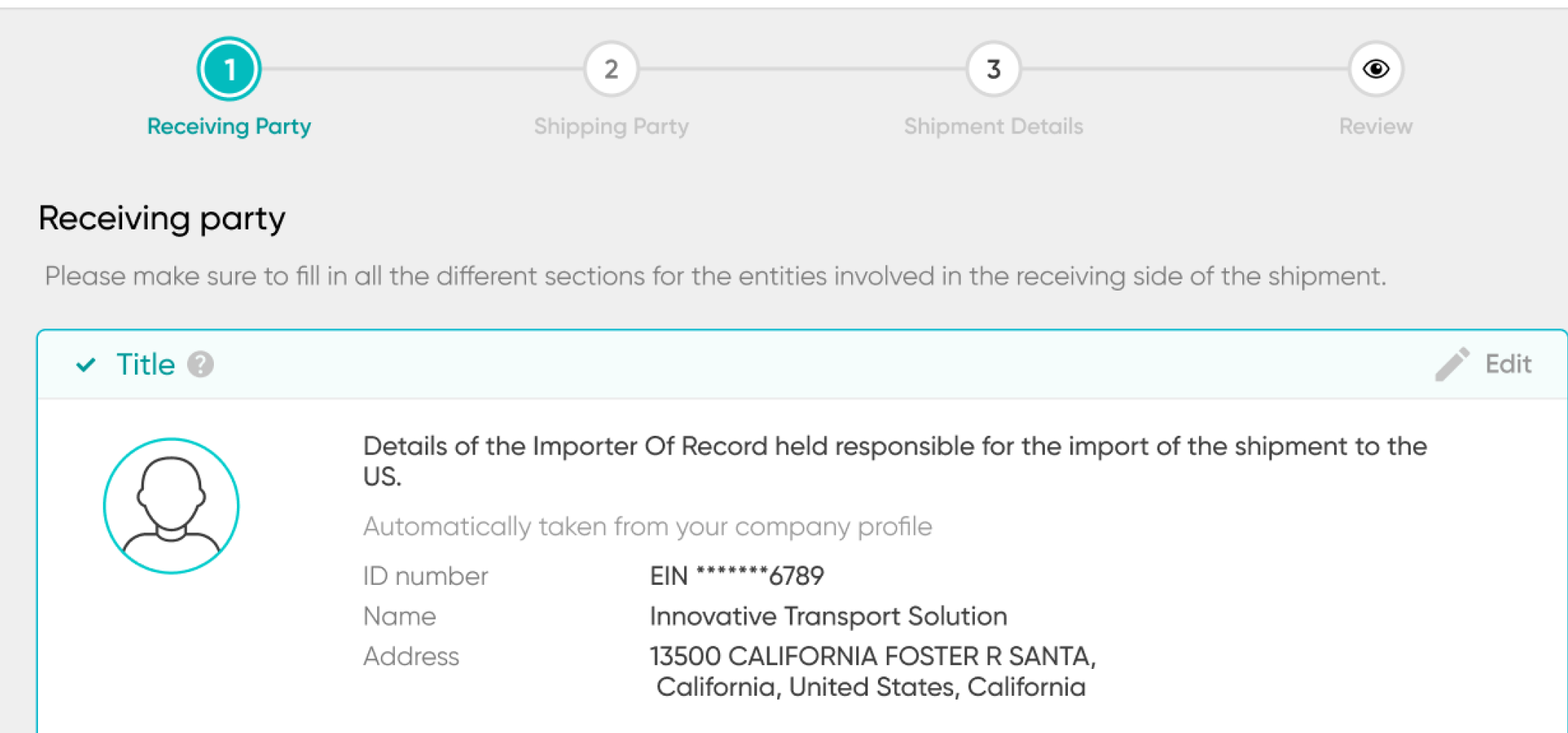
Ten details, and a different form every time.
Since 9/11, every ocean shipment to the US needs an Importer Security Filing: ten details about who sold, made, bought and packed the goods, sent before the cargo is loaded abroad. The law defines the data, not the form, so every broker and forwarder made their own, with different names, order and even deadlines. Most importers simply paid a broker to deal with it.
Make the filing clear enough that an importer doesn't need an expert to get it right, for $10, a fraction of what a broker typically charged.
ISF was the first thing we built, in 2020. It was the test for the whole company: can a customs filing work without a broker at all? If it did, everything else could follow.
With no expert in the loop, the product had to know what the expert knows.
An ISF is a legal filing, and the importer carries the responsibility, and the fine, for every mistake.
So the product had to know which data is really needed, tell people where to find it in a pile of shipping documents, keep them from typing the same company again and again, and make sure the filing goes out on time.
"As a first time filer of ISF, I did not know what to do."— First-time ISF filer, via Trustpilot
Three decisions that made it clear.
 12
12
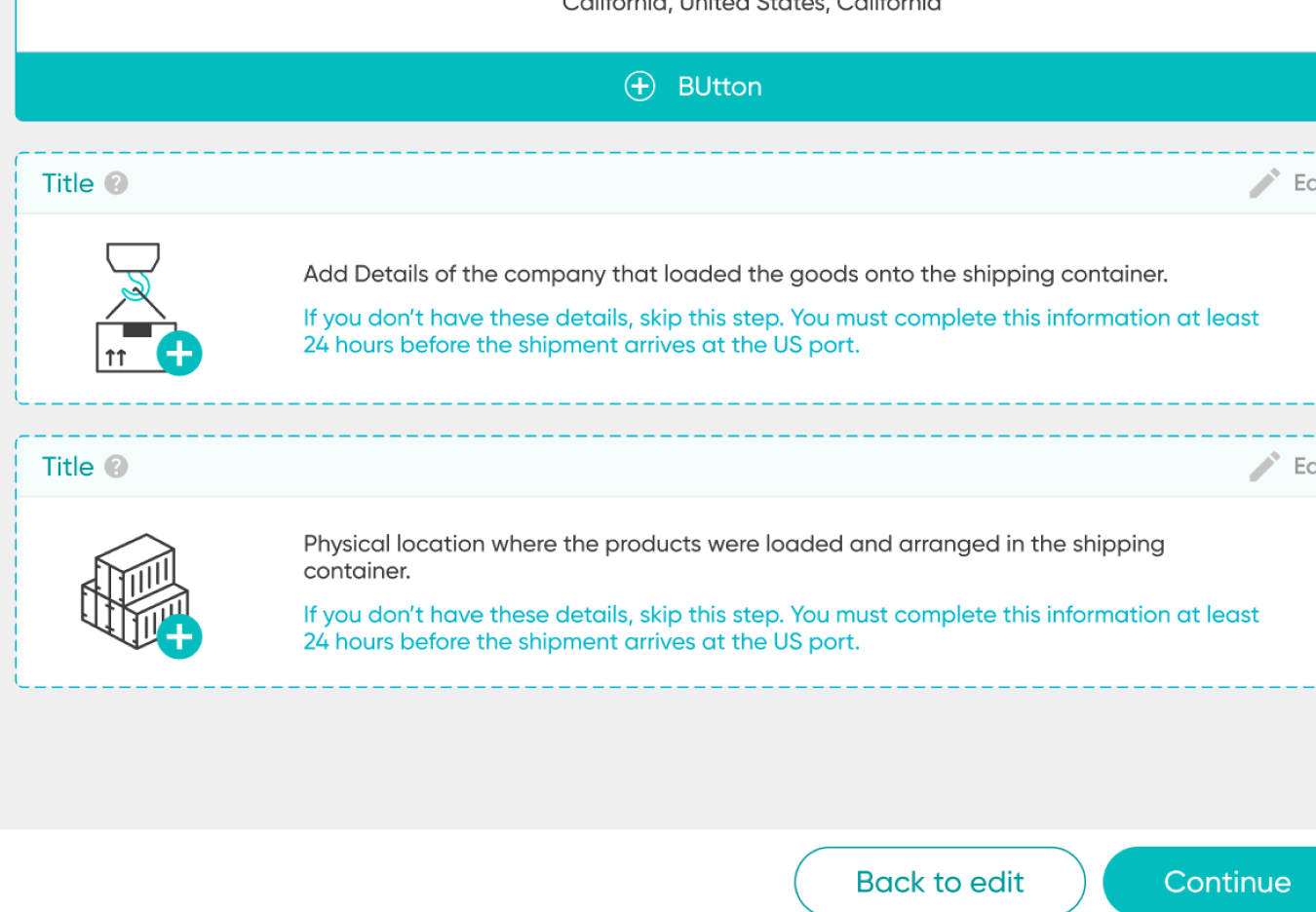
Fewer fields, in the order of the shipment
- 1What changedI mapped which data is truly required and which document each detail comes from, then grouped it the way the shipment moves: who receives it, who ships it, what's inside.
- 2WhyPeople had the answers, just scattered across invoices and bills of lading. Each card says what it is and where to look.
Before: one form with ten fields, in whatever order the forwarder chose.
 12
12
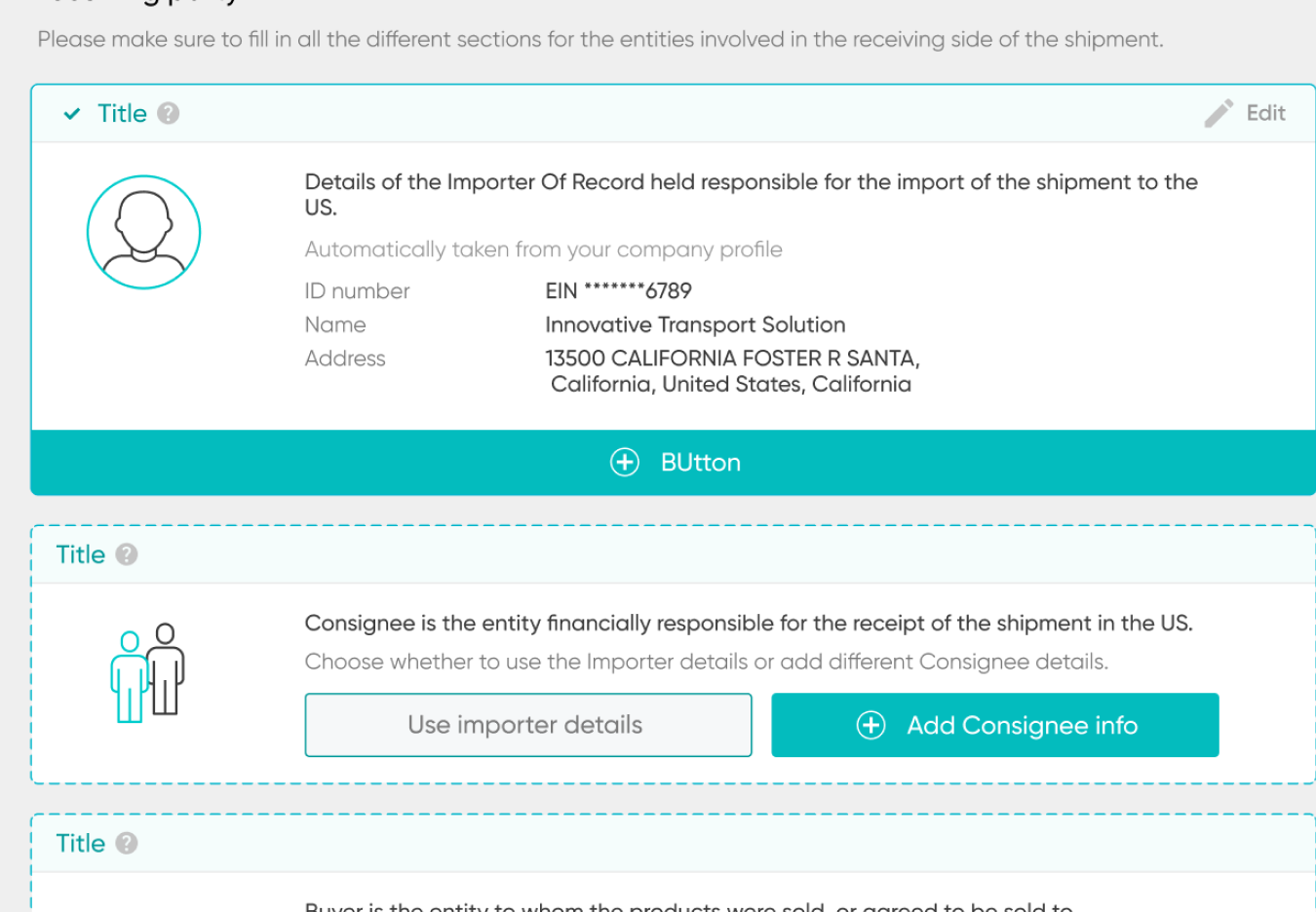
Never type the same company twice
- 1What changedThe importer's details come from their profile. Consignee and buyer are usually the same company, so one tap, "Use importer details", fills them.
- 2WhyThe same company plays several legal roles. Retyping it is slow, and every retype is another chance for a mistake.
 12
12
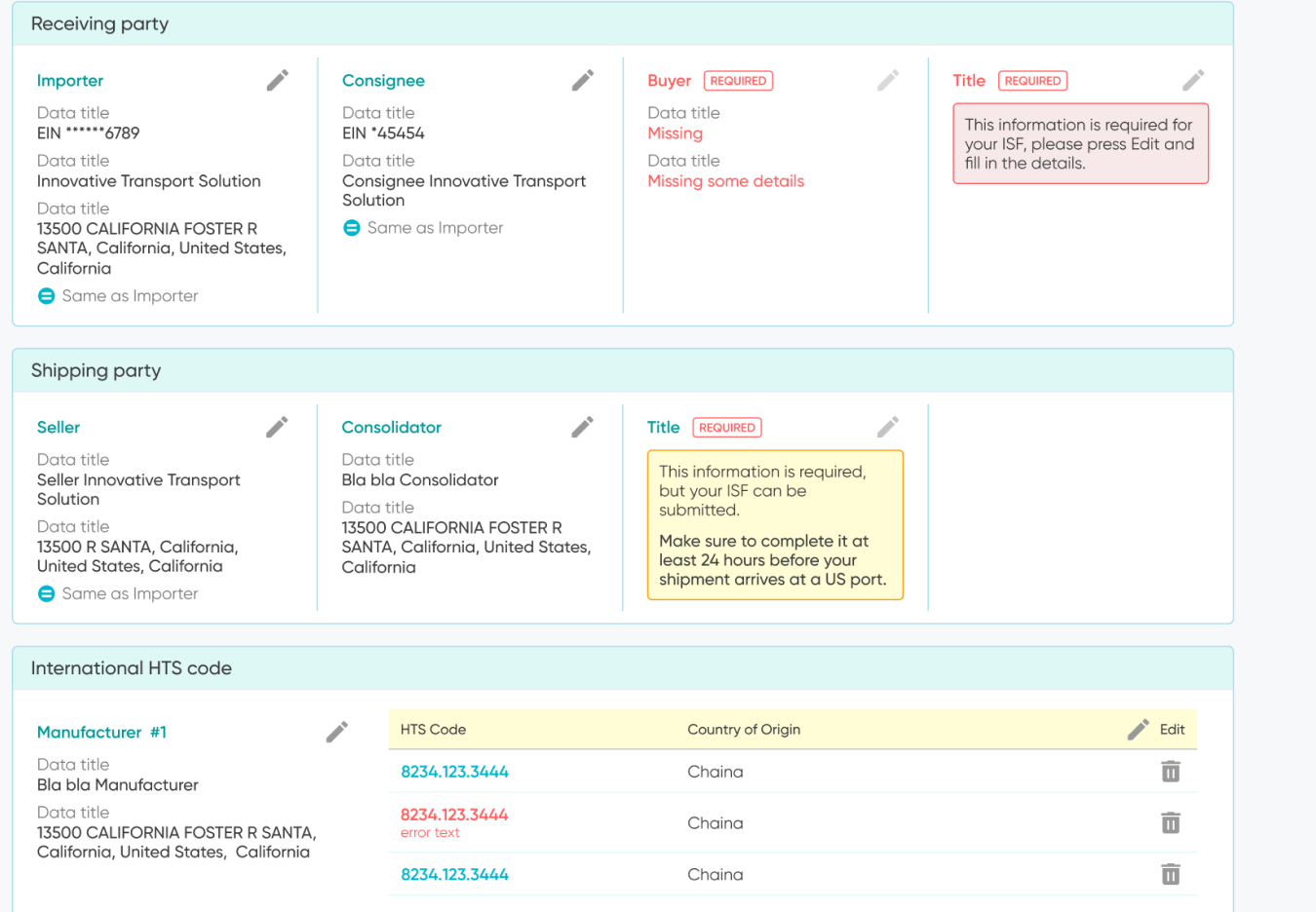
Block only what has to block
- 1What changedThe review shows all the data in short blocks by side. Red marks what stops the filing. Yellow marks what can be sent now and completed later.
- 2WhyThe user is responsible for every detail. And the law lets two details arrive up to 24 hours before the ship reaches the US, so I let people skip exactly those two, and no others.
From documents to an approved filing.
Timing is critical, so after sending, the user always sees where the filing stands and where it got stuck.
From one filing to fifty at once.
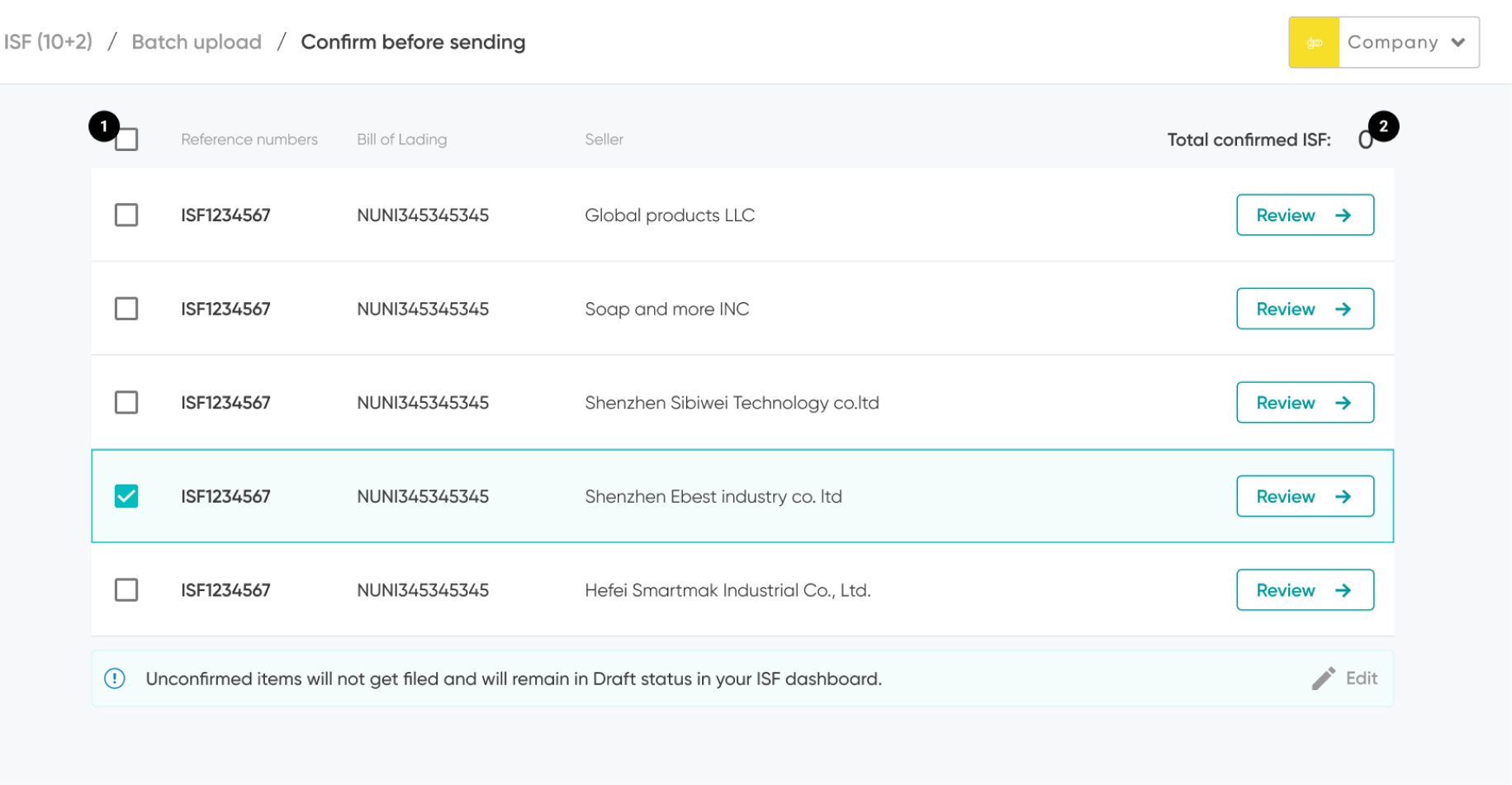
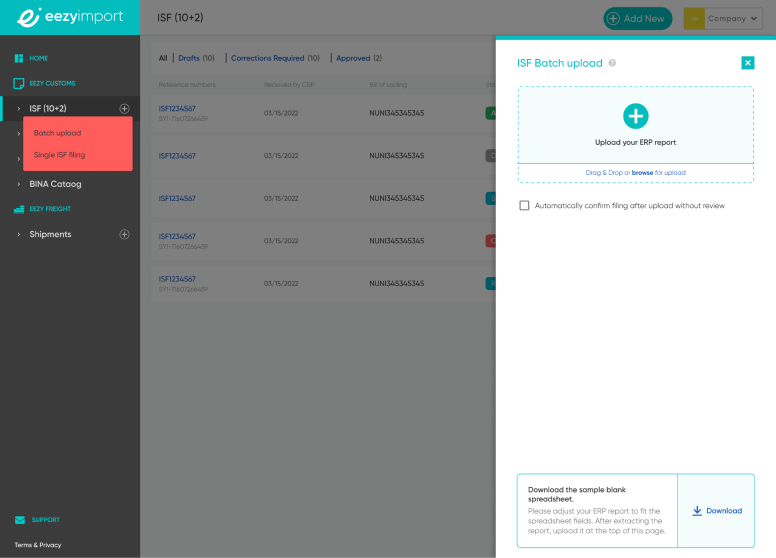
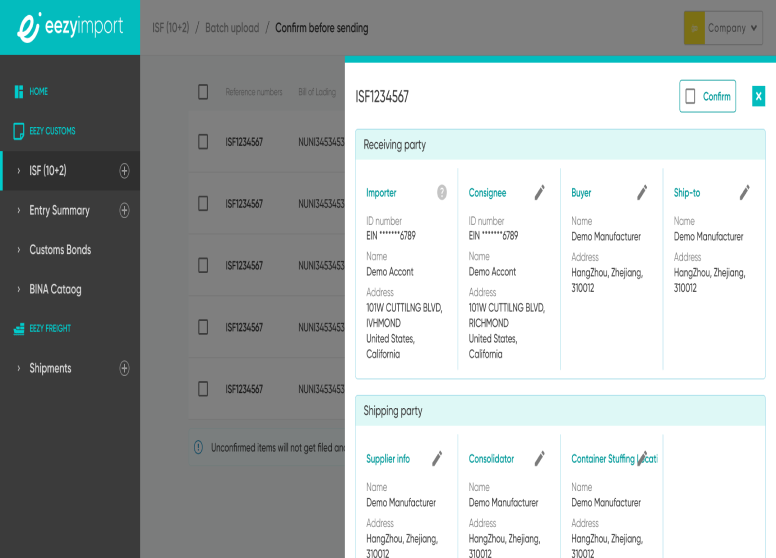
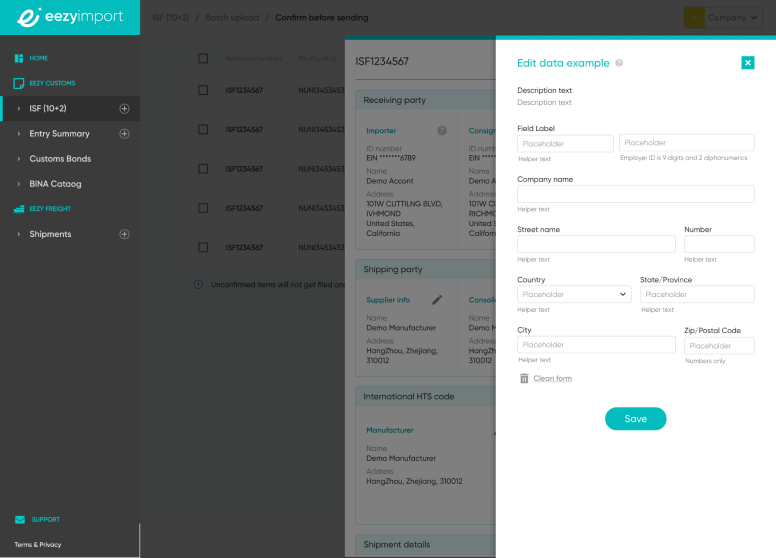
Bigger importers file many ISFs a week. Batch upload turns their ERP report into a list of filings. They confirm, review or fix each one on the side, without losing the list. Nothing is filed until they confirm it.
 12
12
One entry, used twice. Then, documents first.
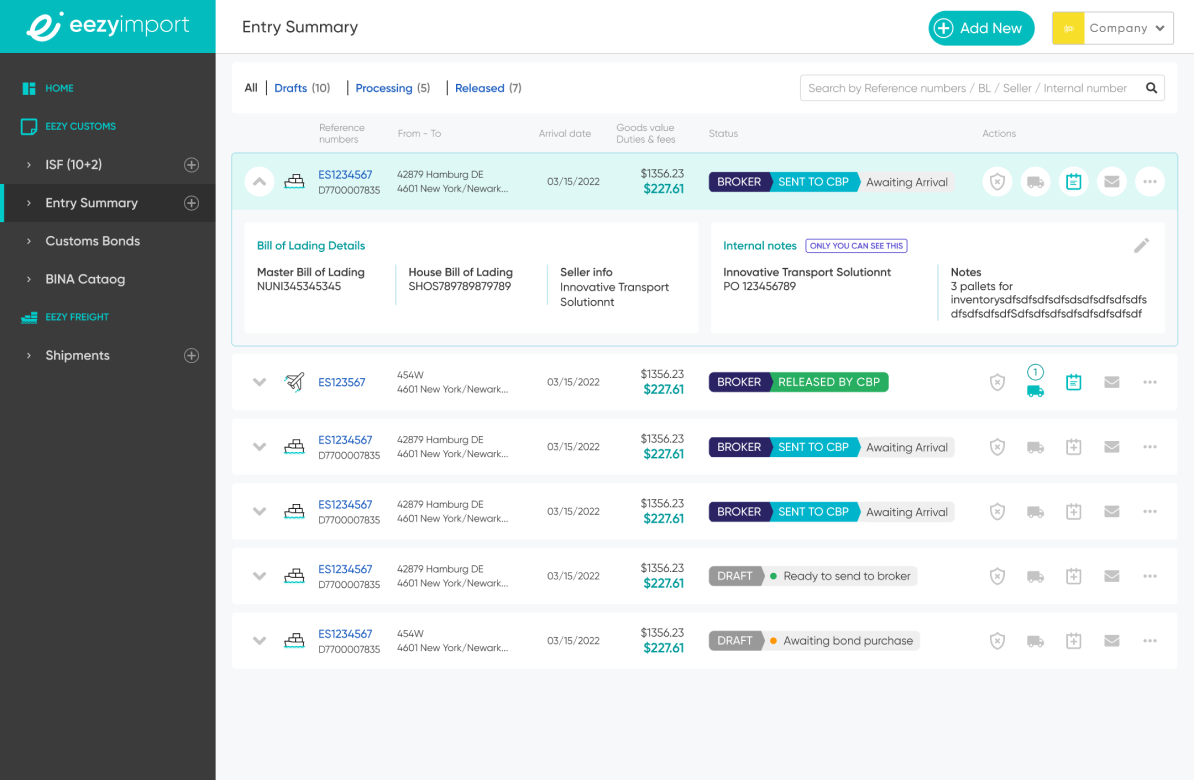
ISF data flows into the Entry Summary, the next customs filing, so the customer doesn't fill the same details again.
Later, ISF changed. The user uploads the shipping documents at the start, the system pulls out the needed data, and the user approves each detail or fixes it by hand. The flow stayed. The typing mostly went away.
A language that started with ISF, and grew with the product.
The logo and core brand colors came from an external agency, chosen together with the team. I took them into the product and built the working palette around them: status colors, UI tints, components, icons and illustrations. Here it is, organized.
The test worked.
ISF proved customs data could be filed without a broker. eezyimport grew from it into a full customs, freight and insurance service.
The patterns and visual language set here carried into every product after it.
Years later, on the same core flow, now a low-cost add-on to the rest.
"I particularly appreciated being able to file my Importer Security Filing (ISF)…"— Importer, via Trustpilot
eezyimport overall today: 4.8 / 5 on Trustpilot (683 reviews) · 40,000+ shipments
What went live, and how I'd do it today.
Be open about it: the release cycle was slow, so parts of the product still run on the first version. Show what shipped, then one or two screens redesigned with today's eye. Label them clearly, so no one mistakes a redesign for the live product.
When there's no expert in the loop, the interface has to be the expert. Most of the work wasn't drawing screens. It was deciding what not to ask.